

Your Xbox username is your first impression in every lobby, party chat, and friends list. Before anyone hears your voice or sees your stats, they see your gamertag. A strong one can make you look skilled, funny, mysterious, or just plain memorable.
This guide gives you more than 800 Xbox usernames, gamertag ideas, and clan names for every playstyle. You will find cool, funny, sweaty, dark, aesthetic, and rare options, plus practical help on checking, changing, and creating your own gamertag. Pick one as it is or remix it into something that fits you.
Xbox gamertags have a 12-character limit for modern gamertags, and many classic names are already taken. Always check availability before you commit, and keep personal details out of your name.
More Names You Might Love: Dark Humor Nicknames
Xbox Usernames Generator
Find your next legendary gamertag!
What Are Good Xbox Usernames?
A good Xbox username is easy to read, easy to say, and fits your playstyle. It should look clean in a party invite and sound smooth in voice chat. The best gamertags feel unique without being hard to spell.
Keep it short and readable. Modern gamertags are limited to 12 characters, and shorter names are easier to remember and search. Avoid long strings of numbers and random symbols.
Match your gaming identity. A competitive player may want a sharp, bold name. A casual player may prefer something funny or relaxed. Pick a tone you will still enjoy a year from now.
Make it original. Common words and simple combinations are usually taken. Add a twist, such as an unusual word pairing or a small spelling change, to stand out.
Avoid offensive or personal content. Xbox filters inappropriate names, and personal details can lead to scams or harassment. A clean, creative name keeps your account safe and your reputation strong.
Cool Xbox Usernames

Cool gamertags sound smooth, sharp, and confident. They work well for players who want a polished first impression.
- FrostByte
- NightVector
- IronPulse
- ShadowStrike
- ArcticEcho
- BlazeRunner
- StormCipher
- ChromeWolf
- VoidWalker
- ZeroGravity
- PhantomDrift
- TurboSpecter
- ObsidianEdge
- ThunderLoop
- SilverFang
- RogueSignal
- CobaltViper
- HyperNova
- GhostFrame
- RiftRider
- SkylineAce
- NeonPilot
- SteelHorizon
- LunarBlade
- CrimsonEcho
- AtomicDrift
- QuietStorm
- VelvetGhost
- RapidOrbit
- SolarFlare
- EchoRunner
- NovaStrike
- DriftKing
- StealthOtter
- AtomicRaven
- FrozenPulse
- ShadowCircuit
- BlueInferno
- WildSignal
- ZenithRush
Badass Xbox Usernames
Badass gamertags are bold and intimidating. They suit players who want opponents to feel nervous before the match starts.
- WarlordX
- DeathBringer
- IronReaper
- SavageNova
- BloodHunter
- GrimEnforcer
- SteelTyrant
- ChaosCommander
- VenomStrike
- RuthlessRaven
- NightSlayer
- WrathOfAres
- TitanBreaker
- DoomRider
- BattleScar
- ShatterPoint
- RogueExecutor
- BlackoutWolf
- ApexPredator
- ViperFang
- CrimsonReaper
- StormBreaker
- DarkCrusader
- HellfireAce
- SilentAssassin
- BoneCrusher
- IronViking
- SteelWidow
- FearlessFury
- RageEngine
- SkullSplitter
- OmegaWarden
- BladeStorm
- WildFangX
- ThunderGod
- ColdBlooded
- DreadPirate
- ConquerorX
- BrutalEcho
- LastStand
Funny Xbox Usernames
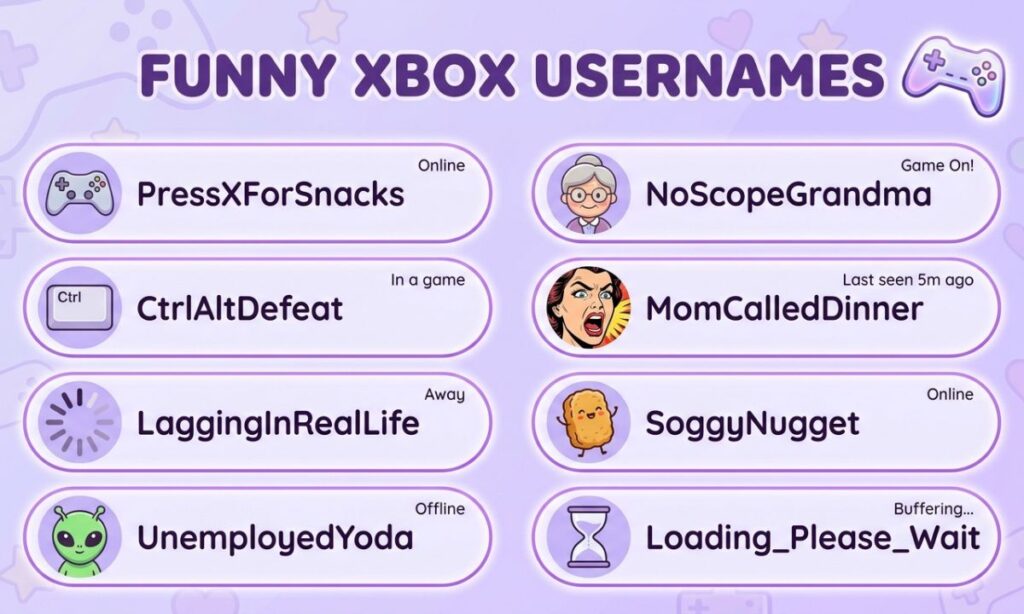
Funny gamertags make teammates laugh and opponents lower their guard. Keep the humor light and friendly.
- PotatoSniper
- NoScopeNana
- LagIsMyCoach
- AFKSandwich
- CampingCarl
- ReloadingNow
- RespawnRick
- MissedOnPurpose
- ToasterWarrior
- PancakeAssassin
- BotWithAttitude
- SneakyBanana
- CouchCommander
- SnackBreakSam
- OopsIDiedAgain
- TeamKillTed
- ControllerChewer
- NapTimeNinja
- GGEasyNot
- WifiWarrior
- FriendlyFireFred
- PixelPotato
- LootGoblinLou
- HeadshotHamster
- ButtonMasher
- TrashTalkTina
- CheeseburgerChad
- RageQuitRandy
- SweatyPalmsPete
- SlowAndSteadyBot
- DadBodDestroyer
- CrispyRespawn
- NoodleNoScope
- LowBatteryLarry
- WaffleWarlord
- GamerGrandpa
- HealMePlease
- MemeLordMike
- SquadSnacker
- JustOneMoreGame
Short Xbox Usernames
Short gamertags are quick to type and easy to remember. They also look clean on profiles and leaderboards.
- Vex
- Zed
- Nyx
- Kai
- Rex
- Jinx
- Onyx
- Echo
- Ryze
- Nova
- Blaze
- Fury
- Hawk
- Volt
- Zeal
- Rift
- Apex
- Dusk
- Edge
- Fang
- Grim
- Haze
- Iron
- Jolt
- Kilo
- Lynx
- Mako
- Nash
- Orbit
- Pyro
- Quill
- Raze
- Slate
- Talon
- Unit
- Vibe
- Wraith
- Xeno
- Yoke
- Zephyr
Competitive Xbox Usernames
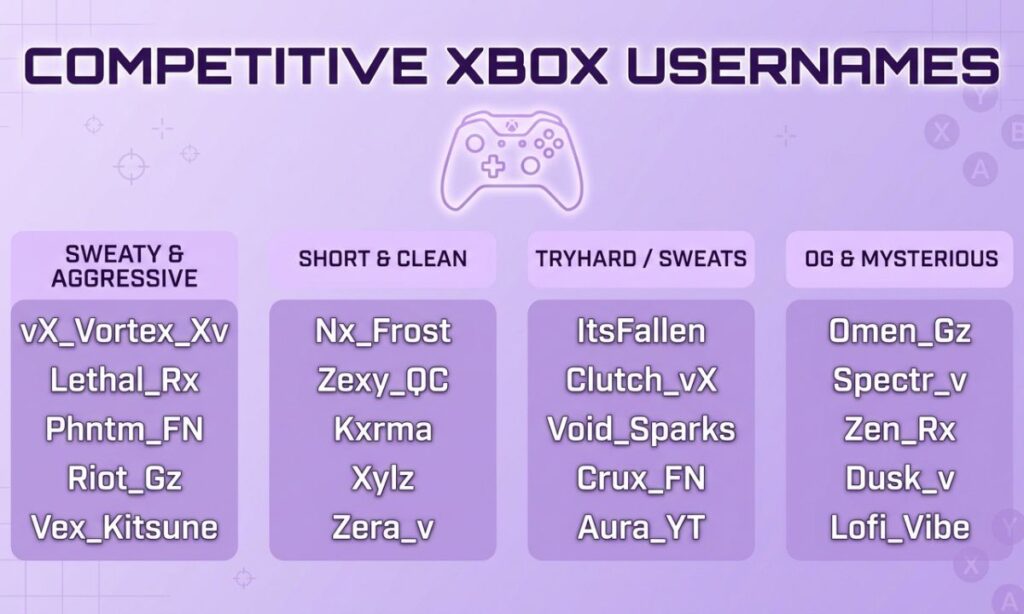
Competitive gamertags signal skill and focus. They suit ranked players, tournament grinders, and anyone who plays to win.
- RankedReaper
- ClutchKing
- AimAssassin
- EliteTactician
- ProvenAce
- TryHardTitan
- DiamondDriver
- MetaMaster
- ClutchOrNothing
- HeadshotHero
- PrecisionPulse
- TournamentTed
- GrindModeGary
- LadderClimber
- FirstBloodFox
- OneTapOmega
- RoundWinner
- StrategyStorm
- CarryCaptain
- PeakPerformer
- AceInstinct
- FocusedFury
- TopFragTony
- WinConditionX
- SeasonChampion
- TacticalTempo
- ZeroMissAim
- FinalCircleFox
- StreakSeeker
- RankUpRaven
- LobbyDominator
- CoolHeadClutch
- SharpshooterSam
- EliteEngine
- ProLeagueLeo
- MatchPointMax
- UnrankedNoMore
- ClutchGene
- AlphaAimer
- VictoryVector
Dark Xbox Usernames
Dark gamertags carry mood, mystery, and a hint of danger. They suit players who like shadows, horror, and gothic themes.
- ShadowReverie
- NightmareNull
- GrimWhisper
- BlackoutSoul
- DarkMatterX
- CryptKeeper
- RavenousVoid
- SinisterEcho
- MidnightWraith
- BleakHorizon
- AshenSpecter
- HollowGrave
- CrimsonOmen
- DuskReaper
- ObsidianSoul
- VoidWhisperer
- GloomWalker
- BrokenHalo
- PhantomThorn
- DeadPixelDemon
- WickedEclipse
- NocturneNull
- DreadHollow
- SableSerpent
- BlackMoonRise
- CursedSignal
- FallenSentinel
- ScarletSpecter
- UmbraKnight
- DarkestHour
- GhoulishGlow
- ShroudedSoul
- NightfallX
- RuinWalker
- BloodMoonBit
- MorbidMuse
- AbyssWatcher
- WitheredCrown
- StaticGrave
- EternalDusk
Aesthetic Xbox Usernames
Aesthetic gamertags feel soft, stylish, and visual. They suit players who care about a calm, curated profile.
- SoftPixel
- LunarLatte
- PastelPilot
- DreamyDrift
- VelvetVoid
- CloudNineGamer
- SakuraStatic
- MoonlitMoss
- GoldenHourGG
- LavenderLoop
- NeonDaydream
- StarlitSignal
- CottonCandyCPU
- HoneyHaze
- MidnightMilk
- PeachyPixel
- SunsetStream
- CrystalCircuit
- WillowWave
- OrbitOrchid
- AmberAura
- QuietQuasar
- SilkSignal
- RoseGoldRush
- PixelPetal
- MistyMeadow
- DuskDiary
- VaporBloom
- GlowingGlitch
- FreshMintFPS
- LilacLoop
- CozyController
- SeafoamSky
- BlushBytes
- StardustSave
- GentleGlitch
- MapleMirage
- ComfortCache
- LullabyLoot
- OpalOrbit
Animal-Inspired Xbox Usernames
Animal gamertags bring instinct, speed, and personality. They are easy to remember and fit almost any playstyle.
- WolfPackLeader
- RavenRift
- FoxFlicker
- ViperVenom
- HawkEyeHQ
- BearBerserker
- LynxLantern
- CobraCommand
- TigerTrace
- OwlOracle
- StealthPanther
- ScorpionSting
- JaguarJolt
- EagleEdge
- SharkSurge
- FalconFury
- CoyoteCunning
- MantisMove
- BuffaloBreaker
- StagStrike
- BatBinary
- CrowCircuit
- OtterOrbit
- DragonflyDash
- WolverineWrath
- HyenaHunt
- PandaPunch
- KrakenKeeper
- GriffinGuard
- RhinoRush
- LionHeartX
- PhoenixFeather
- ArcticFoxAce
- HoneyBadgerX
- StoatStrike
- MongooseMode
- BisonBlitz
- CheetahChase
- RattlerRise
- MoonlitMoth
Clean Xbox Usernames
Clean gamertags are simple, readable, and free of clutter. They look professional and are easy to share.
- PureAim
- ClearSky
- SteadyStar
- TrueNorth
- CalmCurrent
- PrimePlayer
- SolidSpark
- BrightBeacon
- SwiftScout
- HonestHawk
- NobleNimbus
- EagerExplorer
- RadiantRook
- LoyalLynx
- KeenKite
- VividVoyage
- SmartSparrow
- GoldenGlimmer
- TrustyTrail
- LuckyLantern
- QuietKnight
- SharpSignal
- CleanCircuit
- SimpleSpark
- PolishedPilot
- ClearCut
- NeatNinja
- FreshFrame
- SmoothSailor
- StraightShot
- BlueHorizon
- CrispCommand
- WhiteWolfX
- LevelHeaded
- PlainAndPure
- GentleGiant
- SilverSwift
- CoolBreeze
- OpenRoad
- GreenLight
Futuristic Xbox Usernames
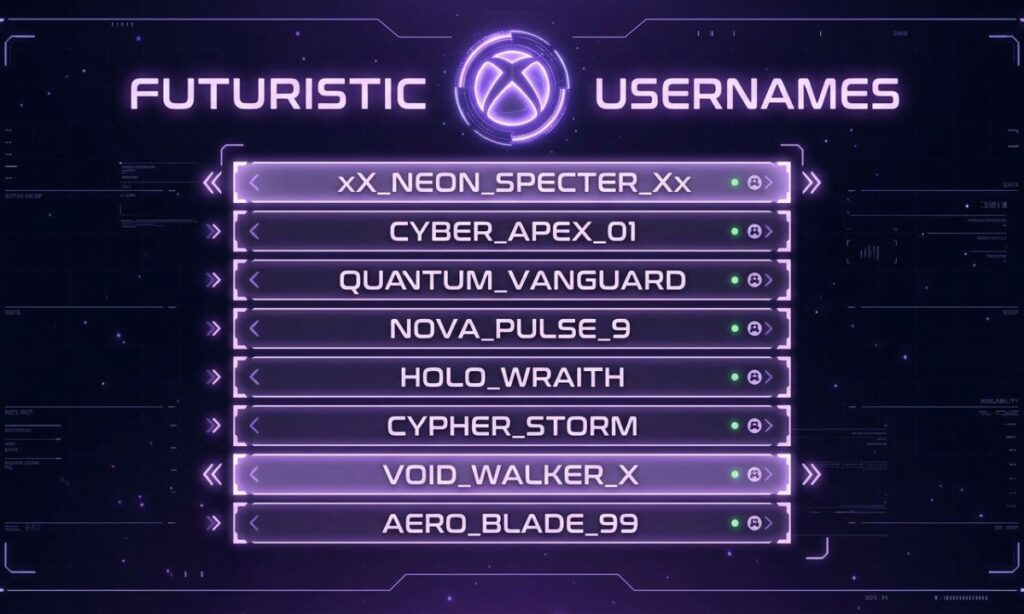
Futuristic gamertags blend chrome, circuits, and space-age energy. They suit players who love sci-fi and high-tech themes.
- CyberCadet
- QuantumDrifter
- NeoNavigator
- PlasmaPilot
- FluxFrame
- HoloHarbor
- MechaMuse
- OrbitalOps
- SynthSentinel
- NanoNova
- WarpWalker
- IonInterface
- StellarSignal
- GridGhost
- PhotonPulse
- ZeroPointX
- ChronoCourier
- TitanCircuit
- LaserLotus
- ExoEngineer
- AndroidAurora
- BioBotBeta
- NeonRonin
- VoltViper
- GlitchGhost
- PixelPunk
- ByteBandit
- CyberCobra
- DataDrifter
- TechnoTiger
- BinaryBlade
- GridRunnerX
- SynthwaveSaint
- UltraViolet
- HologramHacker
- CircuitSamurai
- AstroAurora
- RocketRider
- StarforgeX
- MatrixMaverick
Xbox Clan and Team Usernames
Clan names need to look strong in a tag and sound good in chat. These work for squads, guilds, and esports teams.
- IronLegion
- ShadowSyndicate
- NightWatchCrew
- CrimsonCartel
- VoidVanguard
- ApexAlliance
- StormRiders
- ThunderBrigade
- PhantomPack
- RogueRegiment
- SteelSquad
- OmegaOrder
- BlazeBattalion
- GhostGuild
- WolfPackElite
- TitanTribe
- VenomVanguard
- ArcticArmy
- NovaNation
- RavenRebels
- DarkDynasty
- SilverSyndicate
- FuryFront
- EclipseEmpire
- DriftDivision
- ChaosCrew
- ZenithZone
- KnightsOfNull
- PulsePatrol
- AlphaAssembly
- LastLightLegion
- UnityUprising
- RiftRaiders
- BlackoutBrigade
- CobraCollective
- SkyfireSquad
- BrokenHaloClan
- FrostFang
- WarpWardens
- ImmortalOutlaws
Best Xbox Usernames
These all-round picks balance style, readability, and memorability. They are strong choices for almost any player.
- NightVector
- CrimsonEcho
- StealthOtter
- VelvetGhost
- NovaStrike
- DriftKing
- HyperNova
- PhantomDrift
- IronPulse
- ZenithRush
- SolarFlare
- RapidOrbit
- ShadowCircuit
- WildSignal
- QuietStorm
- SkylineAce
- AtomicDrift
- FrostByte
- BlazeRunner
- LunarBlade
- SteelHorizon
- EchoRunner
- CobaltViper
- ArcticEcho
- ApexRaven
- GoldenReflex
- MidnightAce
- RogueHalo
- StormChaser
- SilentComet
- VortexKing
- RedlineRaven
- BlueLightning
- OrbitBreaker
- WarpDriveX
- PrimeTarget
- SwiftVenom
- LuckyStrike
- NorthernFlame
- UltraEcho
Sweaty Xbox Usernames
Sweaty gamertags signal grind, focus, and high effort. They fit players who treat every match like a final.
- SweatLordX
- TryHardTim
- GrindNeverStops
- SweatyPalmsPro
- NoLifeNate
- OneMoreRank
- SweatEngine
- TryHardTitanX
- ControllerGripper
- SweatSessionSam
- AimLabAddict
- RankGrinderRay
- LockedInLeo
- MaxEffortMike
- SweatShiftSally
- AllNighterAce
- FocusFuelFox
- GrindSetGary
- SweatLevelMax
- ClutchSweat
- PrimeTimePlayer
- NoBreaksBrad
- SweatyStreamer
- RankedRoutine
- SweatTeamSix
- CompetitiveCarl
- DrippingSweatX
- DailyGrindDan
- PerfectAimPete
- HardstuckHero
- NoMercyMax
- SweatyFingersX
- GameFaceGreg
- OvertimeOwen
- TunnelVisionTy
- PushingPoints
- CarryTheLobby
- SweatSquadLeader
- GrindModeOn
- ZeroSleepZed
Tuff Xbox Usernames
Tuff gamertags use the slang spelling for a bold, street-style look. They suit players who want a rough, confident vibe.
- TuffEnuff
- TuffGuyTy
- TuffAsNails
- TuffLoveLou
- TuffCookieX
- TuffNoScope
- TuffKing
- TuffTitan
- TuffRaven
- TuffWolf
- TuffTactics
- TuffStrike
- TuffPulse
- TuffTornado
- TuffVenom
- TuffViking
- TuffNova
- TuffAimer
- TuffGhost
- TuffCommander
- TuffSavage
- TuffSteel
- TuffBlaze
- TuffReaper
- TuffAndFast
- TuffFury
- TuffRebel
- TuffHunter
- TuffOps
- TuffSquad
- TuffTrooper
- TuffGamerX
- TuffDrift
- TuffRider
- TuffHawk
- TuffBandit
- TuffMaverick
- TuffStreak
- TuffClutch
- TuffLegend
Good Xbox Usernames for Boys
These names lean toward strength, humor, and confidence. They suit young players looking for a strong, friendly gamertag.
- AlexTheAce
- BlazeBen
- CaptainCosmo
- DashDrifter
- EchoEthan
- FrostFinn
- HunterHaze
- IronIvan
- JetJoker
- KaiKinetic
- LeoLightning
- MaxMagnet
- NoahNova
- OllieOrbit
- PhoenixPaul
- QuinnQuest
- RexRider
- SamSpecter
- TheoThunder
- VinceVoltage
- ZaneZenith
- ArcticAce
- JackJolt
- LukeLegend
- OwenOutlaw
- FinnFlash
- CodyCommander
- DannyDrift
- ErikEclipse
- GageGhost
- HankHeadshot
- IanIronside
- JaxJet
- KyleKnight
- LiamLynx
- MasonMaverick
- NateNinja
- PeytonPilot
- RyderRaptor
- TuckerTitan
More Names You Might Love: Sad Instagram Usernames
Xbox Usernames for Girls
These gamertags are stylish, strong, and fun. They suit women and girls who want a name that fits their playstyle.
- LunaLethal
- ScarlettStrike
- NovaNinja
- RavenRose
- VenusVortex
- IvyInferno
- AuroraAce
- PhoenixPrincess
- SapphireSniper
- JadeJinx
- LunaLynx
- CleoCommander
- SashaStorm
- ZoeyZenith
- AvaAssassin
- MiaMaverick
- HazelHunter
- KiaraKnight
- TessaTitan
- BellaBlaze
- RoxyRogue
- DaisyDrift
- NinaNova
- WillowWarrior
- EmberEcho
- StellaStrike
- MayaMystic
- PaigePilot
- FreyaFury
- LilyLegend
- SiennaSwift
- HollyHeadshot
- AriaArcher
- BrynnBlade
- CoraCommand
- DaphneDash
- ElaraEclipse
- GraceGhost
- IslaInferno
- JuniperJolt
Rare Xbox Usernames
Rare gamertags are unusual, hard to guess, and often unclaimed. They tend to use uncommon words, unusual spellings, or unique combinations.
- QuartzAndQuill
- AmberAnthem
- CobaltCharm
- SapphireSmoke
- ZenithZephyr
- PrismPoise
- LunarLoom
- SolsticeSiren
- OpalOcean
- IndigoIntrigue
- AuroraArc
- GildedGlimmer
- TwilightTassel
- SaffronSky
- CinderAndSage
- AzureAllure
- ObsidianOrchid
- LumenAndLace
- PearlescentPulse
- MirageMelody
- NebulaNectar
- VesperVoid
- ArgentAegis
- CelestineCrow
- DuskenDrake
- EmberlyEcho
- FableForge
- GlacierGlyph
- HalcyonHawk
- IvoryInferno
- JasperJinx
- KestrelKnell
- LuminousLynx
- MarigoldMaw
- NocturneNimbus
- OnyxOracle
- PerihelionX
- QuillQuasar
- RuneRaven
- TempestTalon
Xbox OG Usernames
OG gamertags are usually short, simple, and tied to the early Xbox Live era. Modern accounts cannot claim most of them, so these are styled in the classic form.
- Ace
- Blade
- Cobra
- Dagger
- Eagle
- Falcon
- Ghost
- Hunter
- Ironman
- Joker
- King
- Legend
- Maverick
- Ninja
- Omega
- Phantom
- Reaper
- Shadow
- Titan
- Viper
- Warrior
- Zero
- Alpha
- Bravo
- Charlie
- Delta
- Echo
- Foxtrot
- Gunner
- Havoc
- Inferno
- Jackal
- Killer
- Lancer
- Marine
- Nitro
- Outlaw
- Predator
- Rogue
- Sniper
Xbox 360 Usernames
Xbox 360 era gamertags had a retro charm, often mixing words with numbers and playful spelling. These capture that classic feel.
- xXSniperXx
- Halo3Master
- MLGProX
- NoScope360
- xDeathStrikex
- CODVeteran07
- GearsOfWarFan
- Rock4Band
- ProHaloPlayer
- xXReaperXx
- Quickscope360
- BigDaddyHalo
- Master Chief07
- xxNinjaxx
- Headshot360
- DarkKnight08
- Elite Sniper
- XboxLegend09
- xTitanFallx
- BlackOps2010
- FragMaster360
- GamerGirl360
- xxPhantomxx
- ShadowOps07
- MWVeteran
- LiveLegend
- PwnageKing
- NoobSlayer360
- AchievementHunter
- GamerscoreKing
- xFuryx
- Retro360Ace
- Halo2Veteran
- OldSchoolPro
- FragFest08
- CampMaster
- Ghost Recon360
- GOWChampion
- MajorNelson
- ClassicClutch
Xbox 4-Letter Usernames
Four-letter gamertags are short, clean, and highly sought after. Most real four-letter names are taken, but these show the style.
- Zeph
- Kryo
- Vane
- Nyxx
- Ryze
- Oryn
- Jett
- Kova
- Lyra
- Axon
- Dray
- Evex
- Fenn
- Grix
- Haze
- Ibex
- Jinx
- Kano
- Lynx
- Mavs
- Nuke
- Orin
- Pyre
- Qite
- Rook
- Sync
- Tide
- Ulti
- Vyre
- Wisp
- Xion
- Yeti
- Zyre
- Blip
- Crux
- Dusk
- Echo
- Flux
- Gyro
- Hexa
Random Xbox Usernames
Random gamertags mix unexpected words for a quirky, one-of-a-kind result. Use them for inspiration or as they are.
- PurpleToasterX
- GalacticNoodle
- SpicyWaffleOps
- QuantumPickle
- TurboGiraffe
- FluffyThunder
- ElectricBanana
- CosmicCabbage
- NinjaMarshmallow
- SneakyMeatball
- RocketPancake
- WobblyWizard
- CrispyComet
- MightyMuffin
- DizzyDragonfly
- ZippyZombie
- BouncyBadger
- GrumpyGalaxy
- LazyLightning
- SassySasquatch
- TinyTornado
- WildWaffle
- CheeseWarrior
- GoofyGhost
- ClumsyCobra
- NobleNoodle
- FrostyFalcon
- RustyRocket
- ChillyChameleon
- DapperDonut
- JollyJackal
- KookyKraken
- LoudLlama
- MellowMango
- NimbleNarwhal
- OddOctopus
- PeppyPenguin
- QuirkyQuokka
- RadRaccoon
- SillySalmon
Xbox Usernames Not Taken
No list can guarantee availability, because Xbox accounts are created every day. These unusual combinations are less likely to be taken, but always verify before you commit.
- VortexMarmalade
- CobaltPancake
- EchoTumbleweed
- NovaLanternX
- QuietThunderOps
- ArcticMarshmallow
- PixelCinderGG
- RuneWaffleKing
- OrbitTeacupX
- GlitchLanternX
- FableDriftwood
- ZenithNoodleX
- LumenOtterGG
- SableCometX
- TempestBiscuit
- QuartzRaccoon
- MistralMango
- BrineKnightX
- CinderPlumGG
- HaloTurnipX
- MossyCometOps
- RiftBlueberry
- StaticWillowX
- UmbraPopcorn
- VelvetAnvilGG
- WispTundraX
- YarrowFalconX
- ZephyrPickleX
- AmberGlitchOps
- BasaltPixieX
- CrypticMuffin
- DuneRobotGG
- EmberTeaspoon
- FlintOrchidX
- GaleBadgerGG
- HazelCircuitX
- IvoryCrowOps
- JadeTornadoX
- KelpWizardGG
- LarkVortexX
Xbox Username Generator
Building your own gamertag is simple with a few formulas. Mix and match the word groups below until a combination sounds right.
- Mood or power words: Shadow, Frost, Nova, Storm, Iron, Crimson, Neon, Lunar, Rogue, Apex
- Creatures and objects: Wolf, Raven, Viper, Hawk, Fox, Blade, Comet, Phoenix, Titan, Ghost
- Action or role words: Runner, Striker, Hunter, Rider, Walker, Breaker, Pilot, Sniper, Slayer, King
- Formula one: mood word plus creature, such as FrostWolf or NovaRaven
- Formula two: creature plus action word, such as HawkStriker or GhostRider
- Formula three: mood word plus action word, such as StormBreaker or IronHunter
- Formula four: add a short number or letter, such as ShadowViper7 or ApexPilotX
- Swap a word for another language, such as Hoshi, Lumen, or Sol, for a rarer result
- Trim long combinations to fit the 12-character limit
Xbox Username Search and Checker
Before you settle on a gamertag, check that it is available. A few quick steps save time and frustration.
Use the official Xbox sign-up page. Go to the Microsoft account or Xbox gamertag setup screen and type your idea. Xbox will tell you right away if the name is available.
Search inside the Xbox app. Open the Xbox app on your phone or console and use the search tool to see whether a profile already uses that name. This also shows how popular a name is.
Try variations fast. If your first choice is taken, add a short word, change the order, or swap a letter. Small tweaks often unlock a clean, available name.
Be careful with third-party checkers. Some websites claim to check gamertags, but results can be outdated or wrong. Treat them as hints only, and never enter your Microsoft password on a site you do not trust.
Xbox Usernames for Sale
Some people try to buy or sell gamertags, but this is risky. Microsoft does not allow buying, selling, or trading accounts or gamertags.
Know the rules. Selling a gamertag or account breaks Microsoft’s terms, and accounts involved in a sale can be suspended or banned. You also have no protection if the seller disappears.
Watch for scams. Many gamertag sale offers are fraud. Sellers may take your money and never transfer anything, or they may recover the account later and lock you out.
Never share your login details. Giving someone your email or password can expose your payment methods, saved games, and personal data.
Use safe options instead. Create a fresh, original gamertag using the formulas above, or use Microsoft’s official change process described below.
More Names You Might Love: Kitsune Names
Xbox Gamertag and Username Change
Xbox lets you change your gamertag, and the process is simple. Steps and costs can change, so check Microsoft’s official support page for the latest details.
Change it on console. Open your profile, choose My profile, then Customize profile, and select your gamertag to edit it. Enter a new name and check that it is available.
Change it on the web. Sign in to your Microsoft account, open the Xbox profile or gamertag change page, and follow the prompts. This works on any computer or phone.
Know the cost. Microsoft usually allows one free change, and later changes may cost a fee. Confirm the current price before you confirm the new name.
Understand the effects. Your friends will see the new name, but your achievements and game history stay on the same account. Some older games may take time to update the displayed name.
Xbox Past Usernames
Many players want to see their old gamertags or find a friend’s former name. Xbox has limited tools for this, so set realistic expectations.
Your own past names. Your Microsoft account and Xbox profile may show recent name history, depending on your settings. Check your account activity and profile pages.
Other players’ past names. Xbox does not publicly list a full history of another player’s old gamertags. Some friends lists briefly show the previous name after a change.
Third-party history sites. A few sites claim to track name changes, but they are unofficial and often incomplete. Use them with caution.
Protect your own history. If you do not want others to know your old name, keep your profile privacy settings tight and share only with trusted friends.
Xbox Gamertag Email Finder
Some players search for the email behind a gamertag, but this is private information. Xbox does not publicly link a gamertag to an email address.
Why it is not available. Microsoft protects account emails and personal data. Tools that promise to reveal an email from a gamertag are usually scams or data-harvesting traps.
Do not trust finder sites. Entering your own details on these sites can expose your account to phishing or malware.
Recover your own account safely. If you forgot which email your gamertag uses, use the official Microsoft account recovery page. You can verify your identity with a phone number or backup email.
Contact the player directly. To reach someone, send a friend request or message through the Xbox app instead of trying to find private details.
How to Create Your Own Xbox Gamertag
Creating a gamertag takes only a few minutes. Follow these steps for a smooth setup.
Sign in or create a Microsoft account. Your Xbox profile is tied to a Microsoft account, so you need one before you pick a name.
Open the gamertag screen. During Xbox setup, you will be asked to choose a gamertag. You can also change it later in your profile settings.
Pick a name or use a suggestion. Type your own idea, or choose one of the suggested names Xbox offers if yours is taken.
Check the rules. Modern gamertags can be up to 12 characters, may include letters, numbers, and spaces, and can have an optional numeric suffix.
Confirm and save. Once you are happy, confirm the name and finish setup. Take a screenshot so you remember it.
What to Do If Your Xbox Username Is Taken
A taken name is common, and it is easy to fix. Use these ideas to find a close alternative.
Add a short number or letter. A small suffix like 7, X, or GG keeps the name readable. Avoid long strings of digits.
Change the word order. Flip a pair, such as WolfFrost instead of FrostWolf, and see which sounds better aloud.
Swap a word. Replace one word with a synonym, such as Raven for Crow or Storm for Tempest.
Use a rare word. Uncommon words are less likely to be taken. Try words from other languages or unusual nature terms.
Accept the suggested number. Xbox may offer a version with a number suffix. This is often the fastest option.
Try a new theme. If the whole idea is crowded, switch to a different style, such as aesthetic or futuristic.
How to Choose the Best Xbox Username
Choosing the best name takes a little planning. Use these tips to find one you will love for years.
Decide on your vibe. Pick a clear mood, such as competitive, funny, dark, or calm. One strong theme makes the name feel intentional.
Say it out loud. Voice chat is part of gaming, so the name should be easy to say and understand. Avoid tricky spellings.
Keep it short. Short names are easier to type, remember, and share with friends. They also look cleaner on screen.
Protect your privacy. Do not use your real name, age, school, or location. Personal details can lead to scams or unwanted contact.
Think long term. Choose a name that still feels right in a few years. Trends fade, but simple and strong names last.
Match your other accounts. If you stream or post online, a similar name on other platforms helps people find you.
What Makes a Good Xbox Gamertag?
A good gamertag is clear, original, and appropriate. It should work in every situation, from casual lobbies to competitive matches.
Readable. People can read and spell it without help. Avoid confusing mixes of similar letters and numbers.
Memorable. It sticks in the mind after one look. Strong word pairings and a clear theme help.
Original. It stands out from common names and feels like yours. A small twist makes a big difference.
Respectful. It avoids offensive words and follows Xbox community standards. Inappropriate names can lead to account penalties.
Flexible. It fits many games and styles. A name that works for shooters, racing games, and casual titles is the most useful.
Frequently Asked Questions
What is a good Xbox username?
A good Xbox username is short, readable, and fits your style, such as NightVector, IronPulse, or FrostByte. Pick a name that is easy to say and unique.
How to get an OG Xbox gamertag?
You cannot claim most OG gamertags because original owners hold them. Your best option is a short, clean name in a similar style.
What is the rarest Xbox username?
The rarest names are short, simple words from the early Xbox Live era that are still held by original accounts. These cannot be claimed or bought legitimately.
What is a unique gamer name?
A unique gamer name uses an uncommon word pairing, such as QuartzAndQuill or AmberAnthem. A small spelling twist can make it even more original.
How long can an Xbox gamertag be?
Modern Xbox gamertags can be up to 12 characters, with an optional numeric suffix. Older classic gamertags can be up to 15 characters.
Can I change my Xbox gamertag for free?
Microsoft usually allows one free gamertag change, and later changes may cost a fee. Check Microsoft’s support page for the latest pricing.
Is it safe to buy an Xbox gamertag?
No, buying or selling gamertags breaks Microsoft’s rules and is often a scam. You risk losing your money and getting your account banned.
How do I check if an Xbox gamertag is available?
Type the name into the Xbox gamertag setup screen, and it will tell you instantly. You can also search in the Xbox app.
Can I use spaces and numbers in my gamertag?
Yes, modern gamertags can include letters, numbers, and spaces. Special symbols are not allowed.
Will changing my gamertag delete my achievements?
No, your achievements, games, and friends stay on the same account. Only the displayed name changes.
Final Thoughts
A great Xbox username is short, original, and fits your playstyle. Whether you want a cool, funny, sweaty, or dark gamertag, the right name makes you easier to remember and more fun to play with. Use the lists and formulas above to build a name that feels like yours.
Before you commit, check availability, keep your personal details private, and avoid risky gamertag sales. A clean, creative name keeps your account safe and your reputation strong. Say it aloud, test it in a lobby, and make it your own.